Plugin YayMail Pro v4.4.1 WordPress
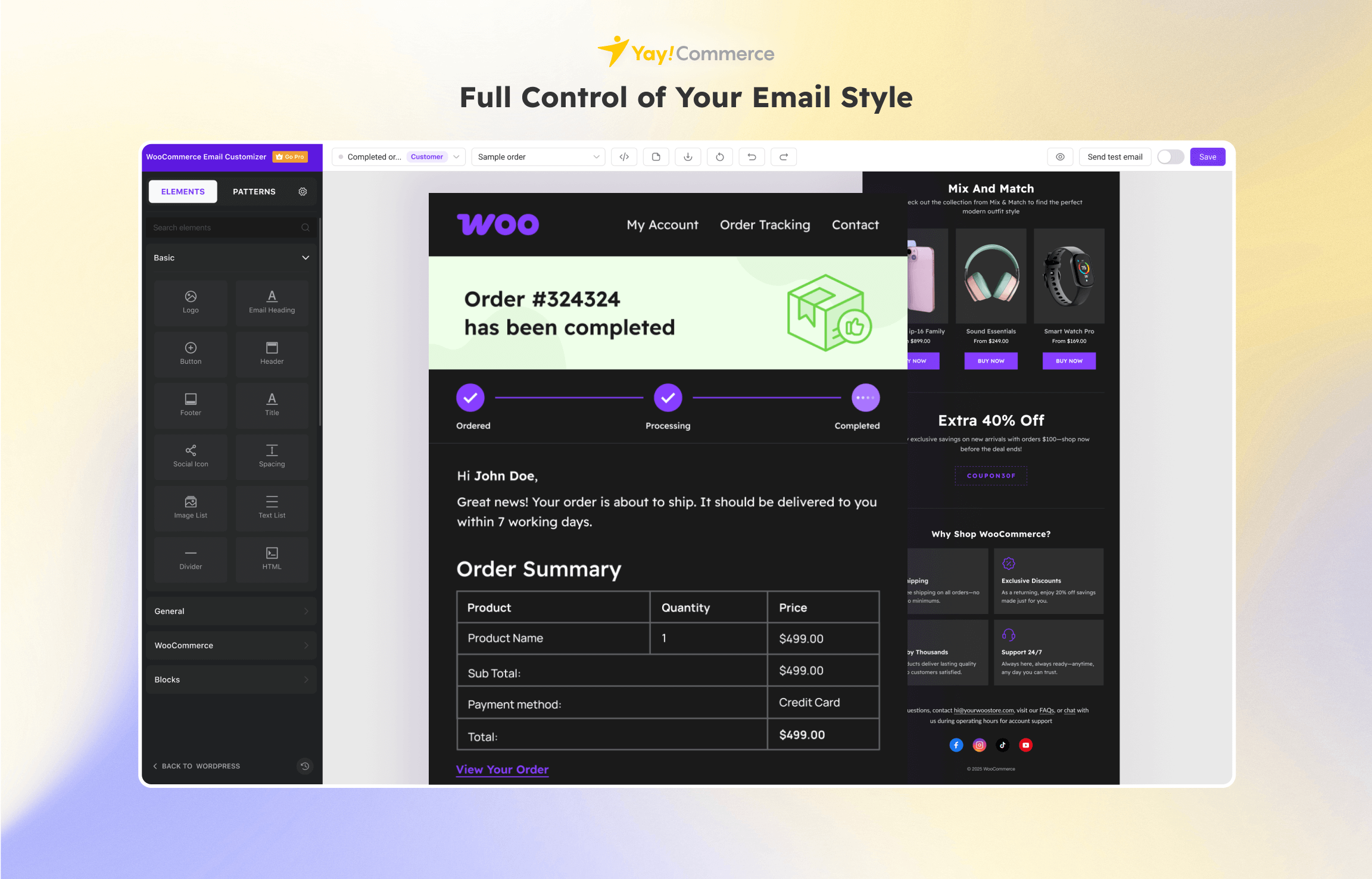
YayMail Pro is a WooCommerce email customizer designed to enhance the standard transactional email templates provided by WooCommerce. While WooCommerce’s default templates are functional, they often lack the flexibility and branding capabilities needed to create a memorable customer experience. YayMail Pro addresses this limitation by offering an intuitive, drag-and-drop email builder that allows you to create customized and visually appealing email templates that reflect your brand’s identity.
With YayMail Pro, you can go beyond simple tweaks and completely redesign your email templates. The plugin supports various blocks and elements, enabling you to add images, videos, social media links, and more, creating a rich and engaging email layout. This flexibility ensures that every email sent from your WooCommerce store not only conveys the necessary information but also reinforces your brand’s image, helping to build a stronger connection with your customers.
Core Features of YayMail Pro WordPress Plugin
- Drag-and-Drop Builder:
- Easily design email templates with an intuitive drag-and-drop interface, without any coding skills required.
- Custom Blocks:
- Add a variety of blocks including text, images, videos, social media icons, buttons, and more to create dynamic and engaging emails.
- Pre-Built Templates:
- Start with pre-built templates and customize them to suit your needs or create your own from scratch.
- Branding Flexibility:
- Customize colors, fonts, and layout to match your brand’s identity, ensuring a consistent look and feel across all customer communications.
- Live Preview:
- See changes in real-time with a live preview feature, allowing you to adjust and perfect your email designs before sending.
- Media Content Integration:
- Incorporate rich media content such as images and videos to make your emails more visually appealing and engaging.
- Responsive Design:
- Ensure that your email templates are fully responsive and look great on all devices, including mobile phones and tablets.
- Template Management:
- Save, duplicate, and manage multiple email templates for different purposes, making it easy to switch between designs.
- WooCommerce Integration:
- Seamlessly integrates with WooCommerce to customize all transactional emails including order confirmation, shipping notifications, and more.
- Testing and Debugging:
- Send test emails to check the layout and functionality, ensuring that your templates work perfectly before going live.
- Plugin Compatibility:
- Compatible with other WooCommerce extensions and plugins, ensuring smooth integration and functionality.
- Regular Updates:
- Receive regular updates to ensure compatibility with the latest versions of WooCommerce and WordPress, as well as new features and improvements.
What’s New (Changelog) in YayMail Pro v4.4.1
Added: Support for synced pattern in import/export & backup (Pro)
Added: Button width selector
Added: Full-width option for Image element
Added: Element Order Progress
Added: Conditional logic feature suggestion
Updated: Column responsive
Updated: Filtering by visibility from admin custom order fields of Custom Order Field by SkyVerge (Pro)
Updated: Tour content UX by constraining content height and enabling scroll on overflow
Updated: Tour styling
Updated: Admin shell menu and license
Updated: Admin UI style
Fixed: “Create pattern” action for invalid multi-select states
Fixed: Title element shortcode rendering issue
Fixed: Multi select (mark global header/footer)
Released: YayMail Conditional Logic v4.0.7
Fixed: Conditional logic loading issues
Fixed: Additional conditional logic issues in email builder
Released: YayMail Addon for WooCommerce Subscriptions v4.0.5
Added: Woo Subscriptions table for Modern layout emails
1. Download Plugin WordPress
Download plugin yang ingin diinstall dalam format .zip.
Buka Member area:
Pastikan file masih berbentuk .zip dan belum diekstrak.
2. Masuk ke File Manager
Di dashboard cPanel:
- Klik File Manager
- Masuk ke folder:
public_htmlLalu buka folder:
wp-content/pluginsFolder ini adalah tempat semua plugin WordPress disimpan.
3. Upload Plugin
Di dalam folder plugins:
- Klik tombol Upload
- Pilih file plugin
.zip - Tunggu hingga upload selesai 100%
4. Extract File Plugin
Setelah upload selesai:
- Kembali ke File Manager
- Cari file
.zipplugin tadi - Klik kanan → Extract
- Klik Extract Files
Nantinya akan muncul folder plugin baru.
5. Aktifkan Plugin di WordPress
Sekarang buka dashboard WordPress:
domainanda.com/wp-adminLalu:
- Masuk menu Plugins
- Cari plugin yang baru diupload
- Klik Activate
Selesai, plugin sudah aktif.
Komentar
0Belum ada komentar
Jadilah yang pertama memberikan komentar!
Produk Terkait

Plugin Yoast SEO Premium v27.6

Plugin WP Rocket v3.21.3

Plugin Elementor Pro v4.0.4